

Athena Nexus
Athena Nexus is a native desktop application for Athena OS that lets you deploy, manage, and monitor your entire cybersecurity toolkit as containers - Docker or Podman, your choice - without touching the command line once.
Built with Tauri (Rust backend + React frontend), it communicates directly with the Docker/Podman Unix socket. No cloud dependency, no SDK bloat, everything runs on your machine.
Features
Section titled “Features”Dashboard
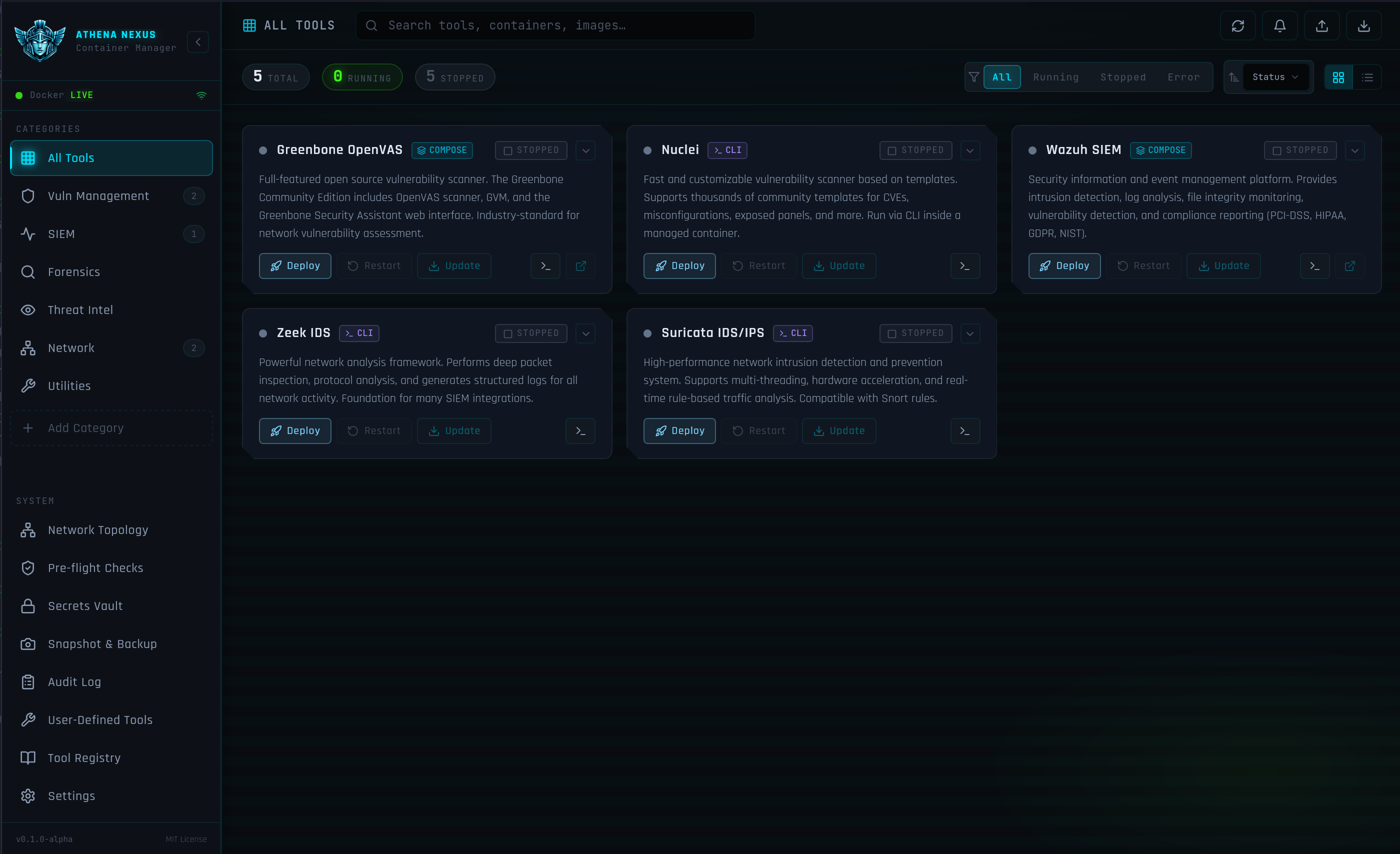
Section titled “Dashboard”The dashboard shows all your deployed tools as live cards with real-time CPU usage, RAM consumption, uptime, and health status. From each card you can start, stop, restart, update, or delete a tool - every action streams the exact runtime command being executed and its output to a log drawer so you always know what is happening.
Tool Registry
Section titled “Tool Registry”The built-in registry gives you one-click deploy for a curated set of security tools. Before every deploy, Athena Nexus runs a set of pre-flight checks to verify port availability, socket reachability, and compose source accessibility. During image pulls, per-layer progress bars show download progress in real time.
The following tools are available out of the box:
| Tool | Category | Type |
|---|---|---|
| Greenbone OpenVAS | Vulnerability | Compose |
| Nuclei | Vulnerability | Image |
| Wazuh SIEM | SIEM | Compose |
| Zeek IDS | Network | Image |
| Suricata IDS/IPS | Network | Image |
Pre-flight Checks
Section titled “Pre-flight Checks”Before deploying any tool, Athena Nexus runs 17 automated checks grouped into categories: System, Runtime, Network, Storage, Security, and Deployed Tools. These verify that your environment is healthy and that there are no port conflicts or missing dependencies before a single container is started.
The checks reuse the already-connected runtime information from the main context, so the socket and API version checks complete instantly without re-pinging the daemon.
Secrets Vault
Section titled “Secrets Vault”The Secrets Vault is an encrypted key-value store backed by the system keyring. Store API keys, tokens, and credentials here and reference them by name in your tool definitions - Athena Nexus will inject them as environment variables at deploy time without ever writing them to disk in plain text.
Snapshot & Backup
Section titled “Snapshot & Backup”Create, restore, export, and delete snapshots of container images directly from the UI. Snapshots are stored as tarballs in ~/.local/share/athena-nexus/snapshots/ and can be exported to any location on your filesystem.
Audit Log
Section titled “Audit Log”Every container action is recorded in a tamper-evident timestamped audit log. The log is filterable by category, outcome, and date range and can be exported to JSON for compliance or incident response purposes.
Network Topology
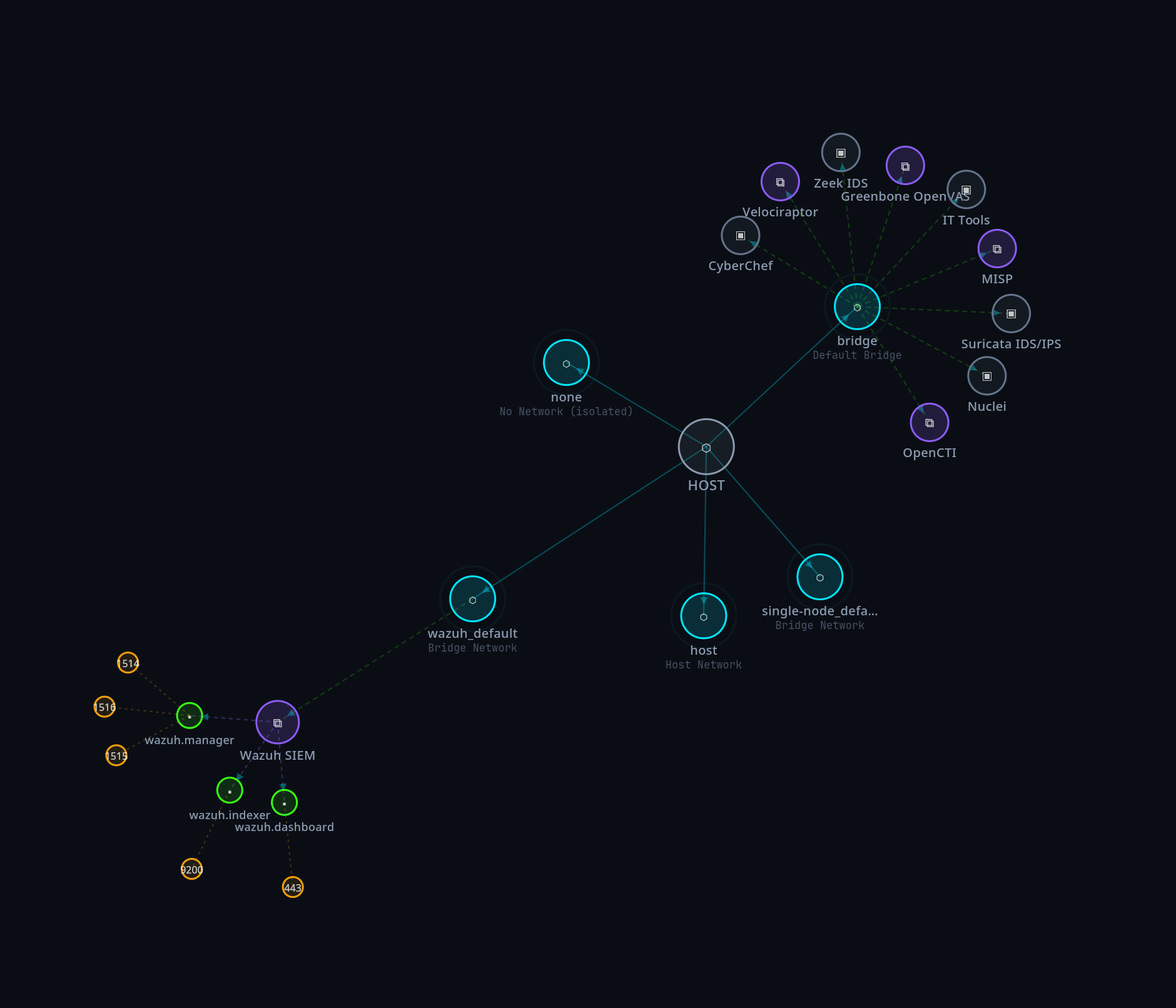
Section titled “Network Topology”The Network Topology page renders a live D3 force-directed graph of your running containers and their network connections. Click any node to inspect its details - IP address, subnet, ports, uptime, CPU and RAM. Drag nodes to rearrange the layout and export the graph as a PNG.
User-Defined Tools
Section titled “User-Defined Tools”Add your own container images or Docker Compose stacks alongside the built-in registry. User-defined tools appear on the Dashboard with full lifecycle management - start, stop, restart, logs, snapshots, and vault secret injection.
Configuration
Section titled “Configuration”All persistent data is stored under standard XDG directories:
| Path | Contents |
|---|---|
| ~/.config/athena-nexus/config.json | Runtime settings (Docker vs Podman, registry path) |
| ~/.config/athena-nexus/tools.json | Tool registry (built-in + user-defined) |
| ~/.config/athena-nexus/vault.json | Encrypted secrets |
| ~/.config/athena-nexus/audit.json | Audit event log |
| ~/.local/share/athena-nexus/snapshots/ | Snapshot tarballs |
Switching between Docker and Podman
Section titled “Switching between Docker and Podman”Open Settings and select your preferred runtime. The switch takes effect immediately - no restart required.
Custom registry file
Section titled “Custom registry file”You can point Athena Nexus at a custom tools.json registry file in Settings → Registry file path. This lets you maintain a private registry of tools that appears alongside the built-in ones.
Adding a custom tool
Section titled “Adding a custom tool”Go to User-Defined Tools and click Add Tool. Fill in the tool name, select a source (container image or compose file path), configure ports and entrypoint, and optionally link vault secrets. The tool will appear on the Dashboard immediately after saving.