

Bspwm
Bspwm is a tiling window manager that represents windows as the leaves of a full binary tree.
In Athena OS, Bspwm shows different rices to fit the best workspace environment the user would like to work on.
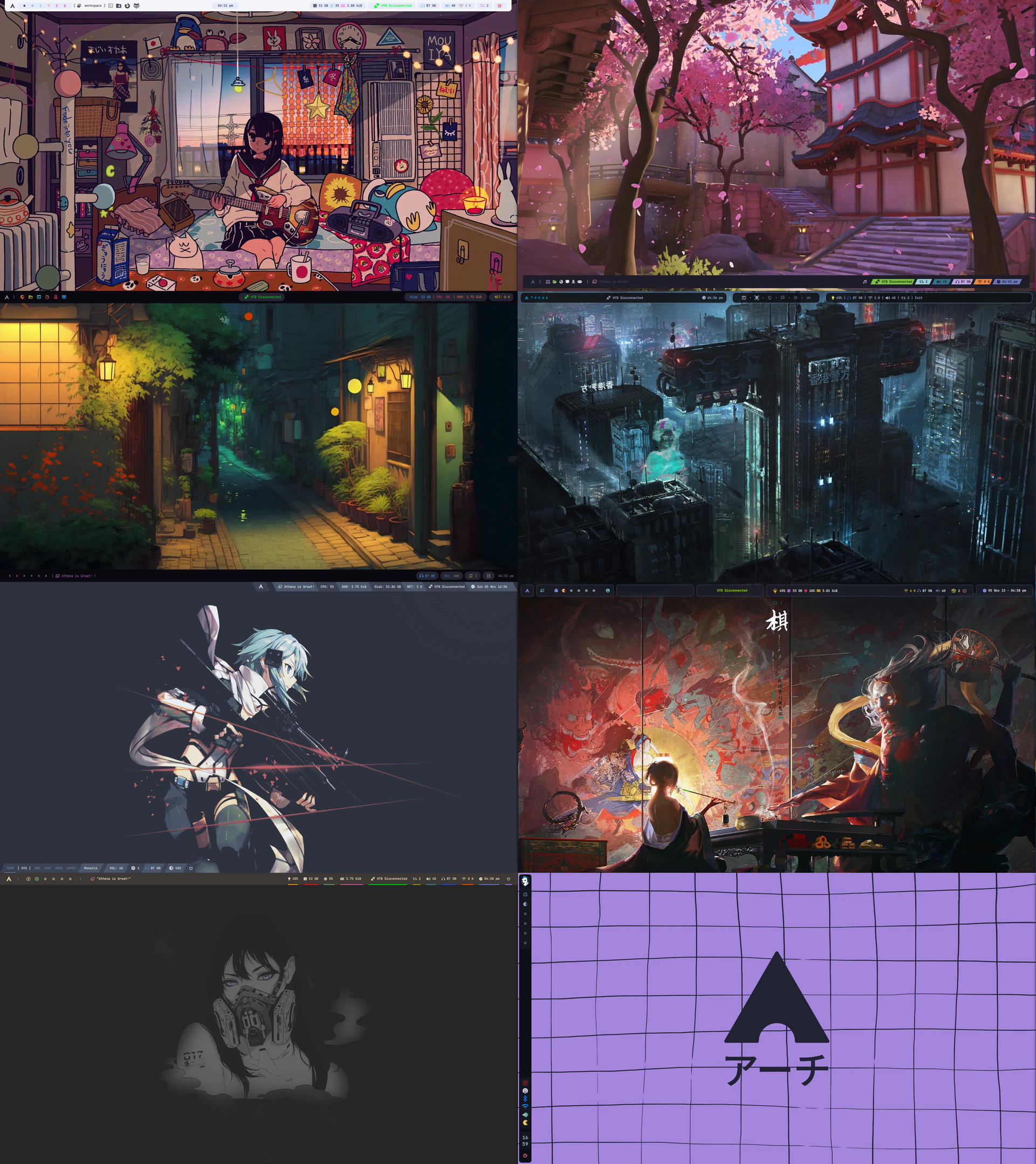
The environment consists of several elements that will shown in this chapter.
Each Bspwm rice has its own bar but they provides common features:

Application Menu
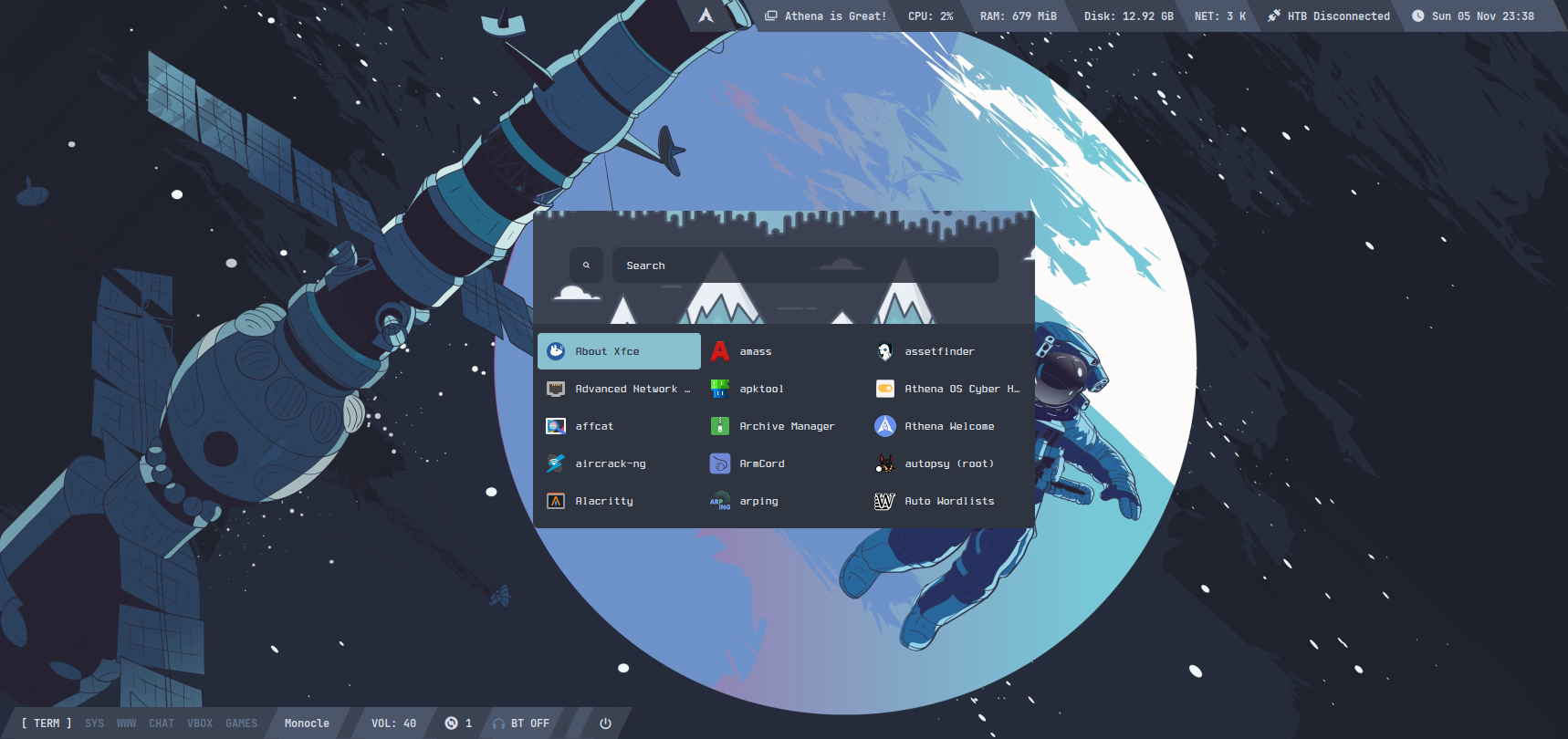
Section titled “Application Menu”By clicking on Athena or Arch logo icon, or by pressing SUPER + SPACE on your keyboard, the Application Menu will spawn. Here, you can find and open any installed application you wish to run.
Window Switcher
Section titled “Window Switcher”Some rices have an icon showing overlapping windows that help you to switch among opened windows. In the image below, the window switcher is opened on the workspace 3 and shows windows opened in workspace 1 and 2.
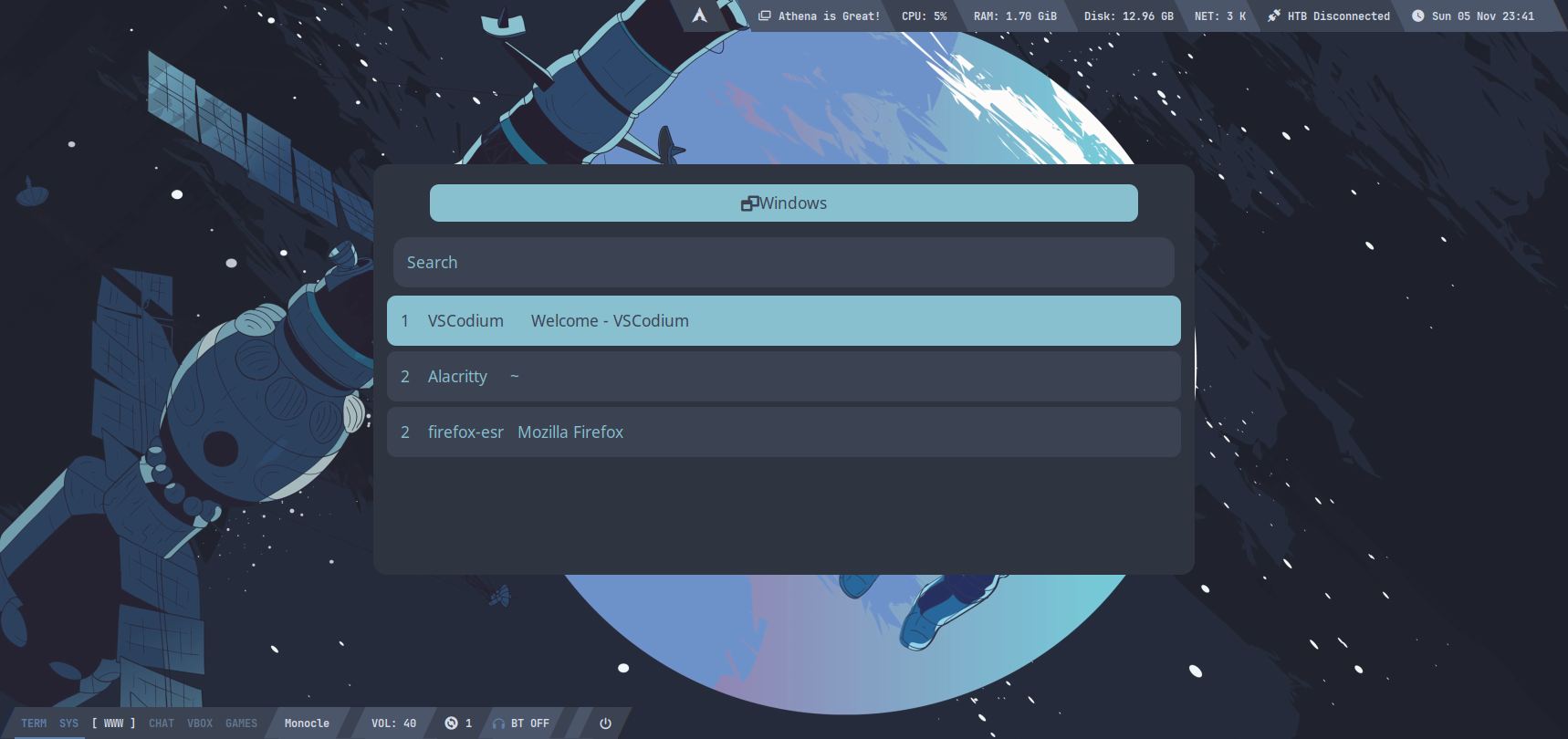
You can also spawn it by pressing CTRL + ALT + W.
Workspaces
Section titled “Workspaces”All the rices allow you to switch among workspaces. The difference of workspace menu inside each rice consists only of icons: glyphs or numbers.
Hack The Box Toolkit
Section titled “Hack The Box Toolkit”Bspwm environment integrates with Hack The Box platform. TODO
System Metrics
Section titled “System Metrics”On the bar, you can find some metrics about the system resource consumption like brightness percentage, disk space, CPU and RAM usage.
By clicking on the disk space icon, you can mount any existing drives (i.e., disk, partition or USB drives) to your system.
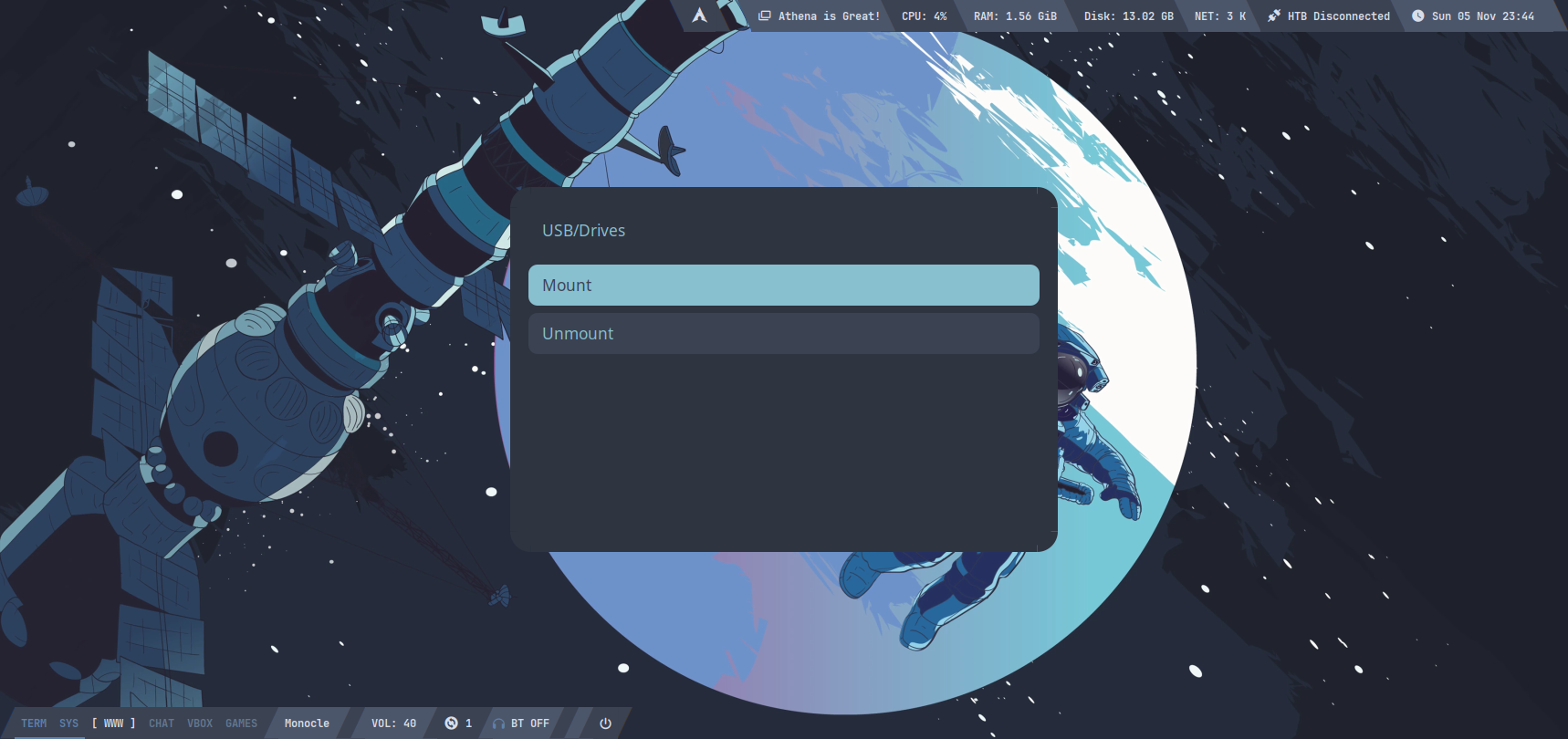
As example, if you would like to use your USB drive, plug it in your computer, click on disk space icon, and on the popup window move to Mount and press Enter. You will get a list of drives, and among them, you will get the disk and the partition of your USB drive, for example in my case:
/dev/sdb (14.6 G) disk/dev/sdb1 (14.6 G) partYou must select the part element in order to see the files inside your USB drive. Then, a name of folder where the USB drive should be mounted will be asked to you, and, finally, you can access to it by ls /mnt/d_mount/<folder-name>.
Once you finished your activity by USB drive, you can unmount it by clicking on disk space icon, move to Umount and press Enter.
Network, Audio and Power
Section titled “Network, Audio and Power”WiFi icon allows you to connect to a network while Bluetooth one to a Bluetooth device. In this part of the bar, you can also tune your volume and update your packages.
Finally, a power icon button allows you to logout, lock, restart or shutdown your system.
Desktop
Section titled “Desktop”The desktop is pretty simple in terms of elements. You have mainly a bar and a wallpaper.
If you wish to change your rice, press ALT + SPACE on your keyboard. A popup window containing the list of the rices appears:
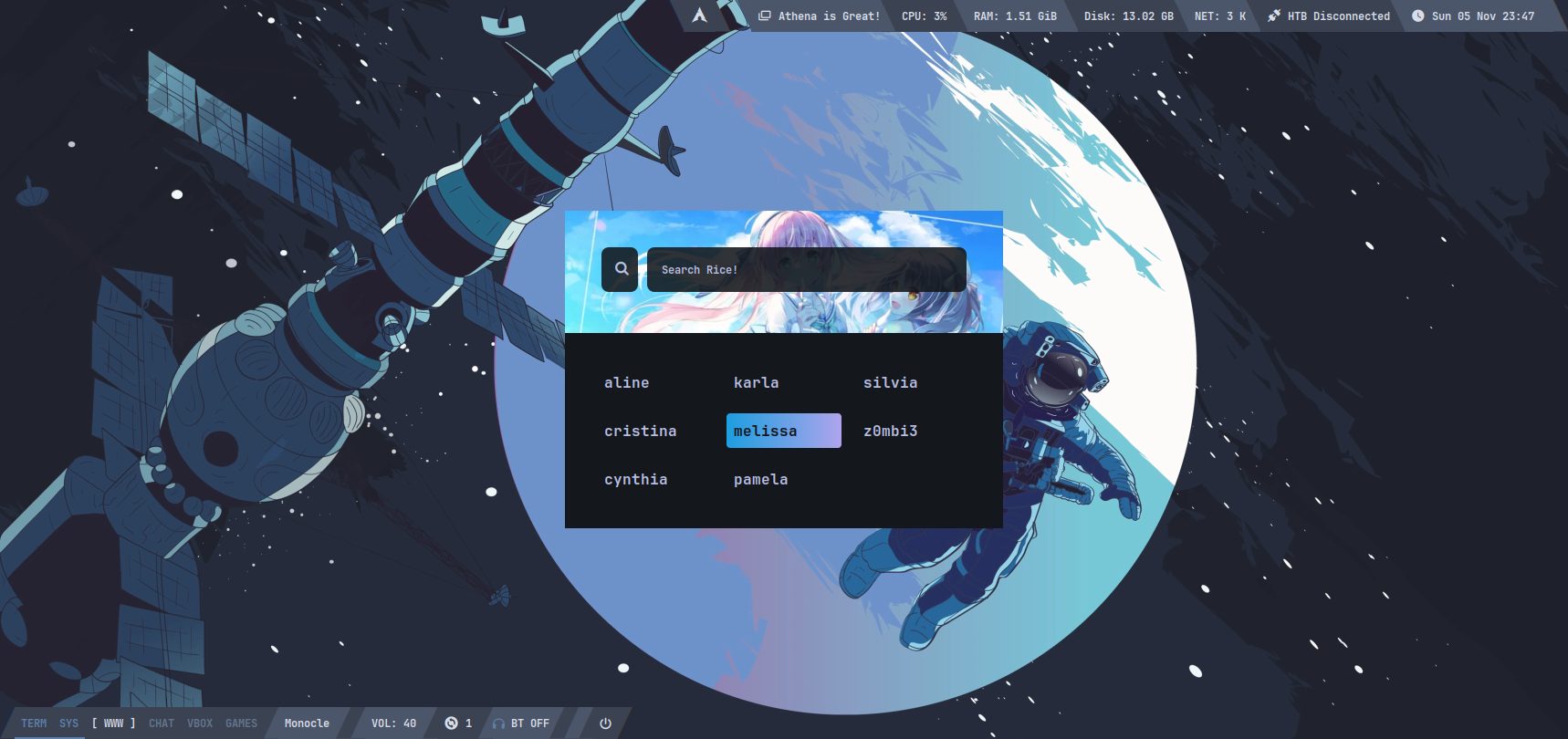
Select your favourite and press Enter.
Keybindings
Section titled “Keybindings”Here are reported some useful keybindings set by default in Athena OS Bspwm.
Application and System Management
Section titled “Application and System Management”| Keybind | Description |
|---|---|
| Super + Enter | Open the Terminal |
| Super + ALT + Enter | Open floating Terminal |
| Super + Space | Open application menu |
| Super + {H, U} | Hide/Show menu bar |
| Super + ALT + W | Set random wallpaper |
| ALT + Space | Open rice selector |
| CTRL + ALT + W | Active window list |
| Open screenshot pane | |
| Super + K | Hack The Box spawn machine |
| Super + Shift + K | Hack The Box machine details |
| Super + SHIFT + I | Hack The Box VPN |
| Super + ALT + O | Open scratchpad |
| CTRL + Super + ALT + {P, R, Q, L, K} | Power off, Reboot, Log out, Lock screen, Kill an app |
| Shift + ALT + B | Open browser |
| Shift + ALT + G | Open VSCodium |
| Shift + ALT + E | Open File Manager |
| Shift + ALT + P | Open Pavucontrol |
| Shift + ALT + R | Open Ranger |
| Shift + ALT + W | Open Athena Welcome |
| Shift + ALT + M | Open Virt-Manager |
| Shift + ALT + V | Open Neovim |
| Shift + ALT + K | Open music |
| Super + {self, Shift} + Q | Close or kill the focused window |
Desktop and Window Selection
Section titled “Desktop and Window Selection”| Keybind | Description |
|---|---|
| CTRL + ALT + {+, -, R} | Change transparency on focused window |
| Super + R | Rotate desktop elements of 90 degree |
| Super + C | Rotate the leaves of the element tree |
| Super + = | Make split ratio equal |
| Super + - | Make split ratio balanced (use ‘dash’ key for minus character) |
| Super + M | Make focused window maximized |
| Super + G | Swap the focused window by the biggest opened window |
| Super + {T, Shift + T, S, F} | Set the window state as tiled, pseudo tiled, floating or fullscreen |
| CTRL + ALT + {M, X, S, P, I} | Set the window flag as marked, locked, sticky, private, hidden |
| Super + {4, 5} | Focused window gaps scroll |
| Super + ALT + {4, 5} | Global window gaps scroll |
| Super + {self, Shift} + {Left, Down, Up, Right} | Focus the window in the given direction |
| ALT + {self, Shift} + TAB | Focus to the next or previous window in the current desktop |
| Super + ALT + {Left, Right} | Move among workspaces |
| Super + {`, TAB} | Focus the last window or desktop |
| Super + {O, I} | Focus the older or newer window in the focus history |
| ALT + {self, Shift} + {1-9,0} | Focus or move a window to the selected workspace |
Desktop and Window Preselection
Section titled “Desktop and Window Preselection”| Keybind | Description |
|---|---|
| Super + CTRL + {Left, Down, Up, Right} | Preselect the direction |
| Super + CTRL + {1-9} | Preselect the ratio |
| Super + CTRL + Space | Cancel the preselection for the focused window |
| Super + CTRL + Shift + Space | Cancel the preselection for the focused workspace |
Window Move/Resize
Section titled “Window Move/Resize”| Keybind | Description |
|---|---|
| Super + ALT + {H, J, K, L} | Expand a window by moving one of its side outward |
| Super + ALT + Shift + {H, J, K, L} | Contract a window by moving one of its side inward |
| ALT + Shift + {Left, Down, Up, Right} | Move a floating window |
Second Monitor
Section titled “Second Monitor”| Keybind | Description |
|---|---|
| Super + ALT + Shift + {Left, Right} | Send window to the second monitor |
Bspwm Management
Section titled “Bspwm Management”| Keybind | Description |
|---|---|
| Super + Esc | Reload sxhkdrc |
| Super + ALT + R | Reload Bspwm |