

MATE
MATE provides an intuitive and attractive desktop environment using traditional metaphors for Linux and other Unix-like operating systems.
In Athena OS, MATE provides quick access to cyber resources.
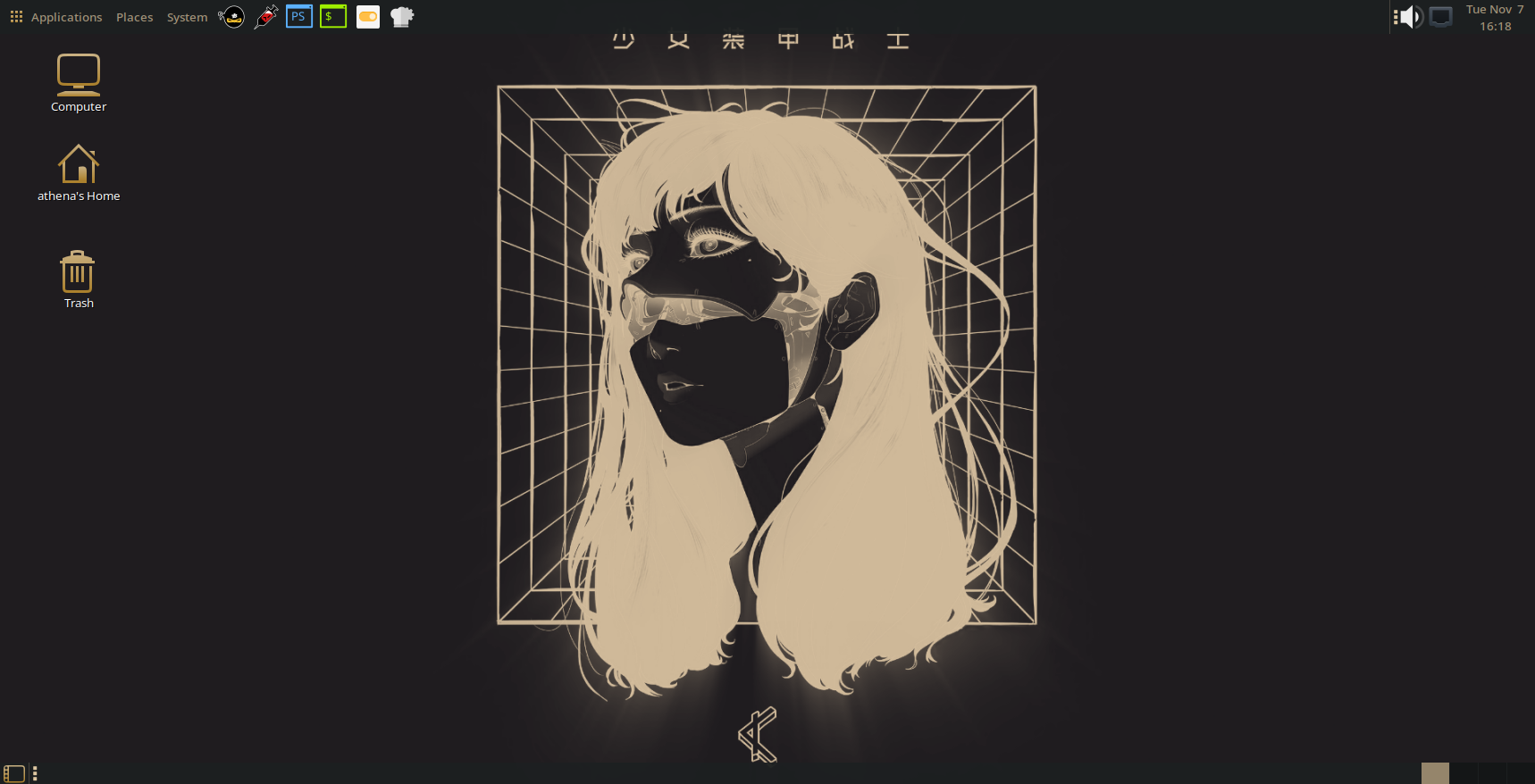
The environment consists of several applications that will shown in this chapter.
Desktop
Section titled “Desktop”The desktop consists of a top bar and bottom bar as long as desktop icons.
MATE top bar is composed of several elements that provide access to several resources as settings, directories and application list.

By clicking on Applications, you can access to a menu list containing any resource you need.
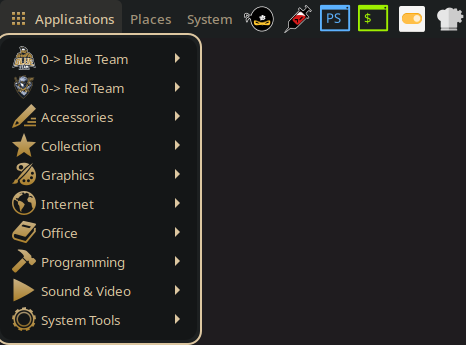
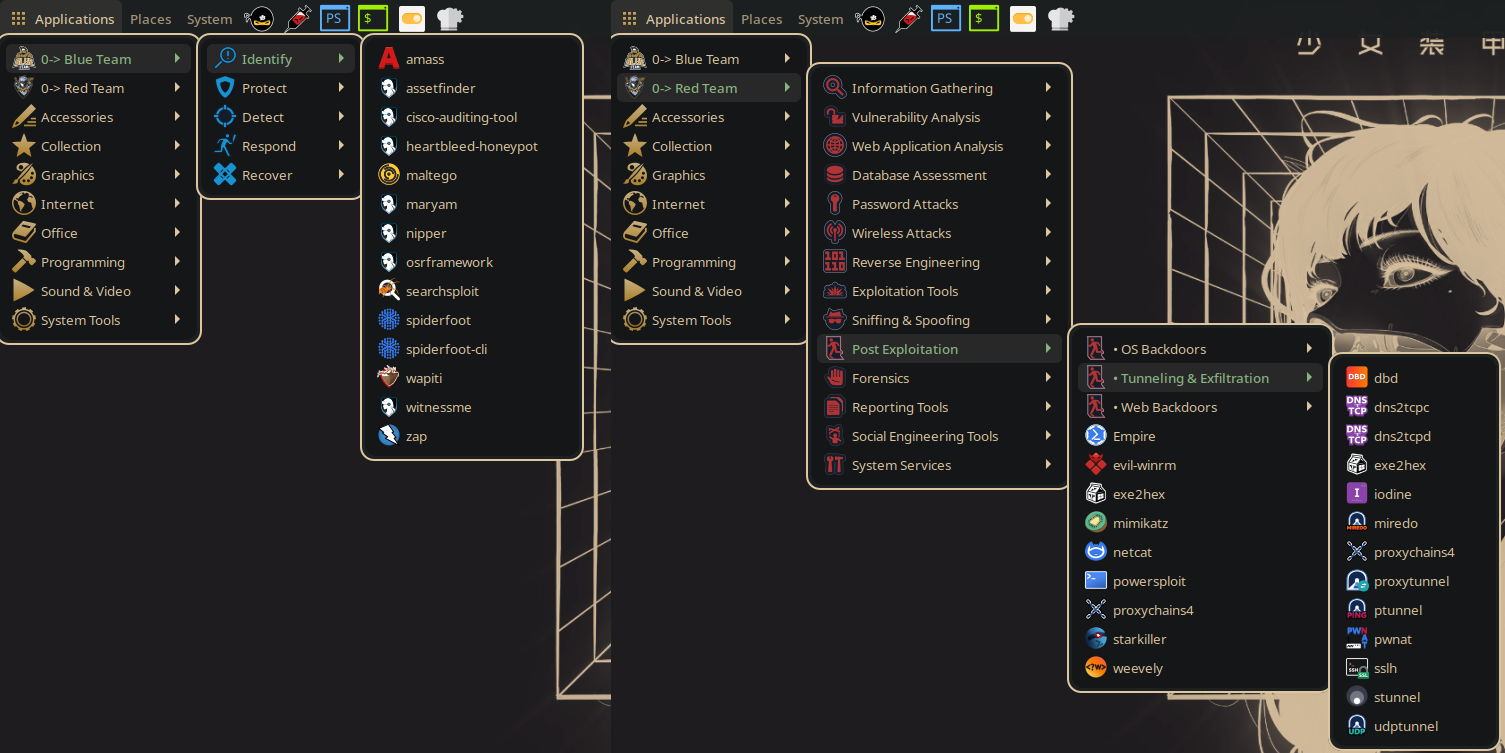
Here, you can find Blue and Red Team categories that provide access to Cyber Security tools.
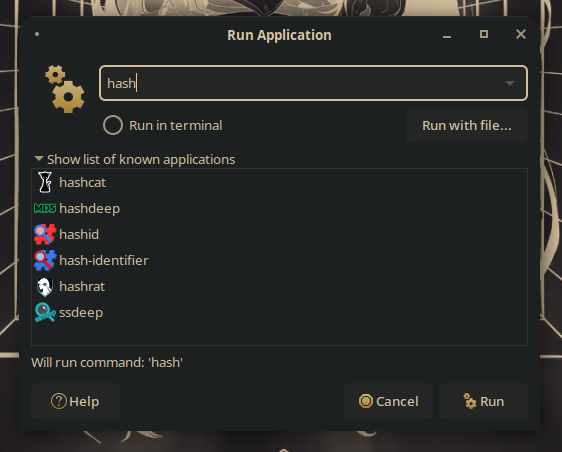
It is possible to search and run applications also by Run Application dialog by pressing ALT + F2.
Next to Applications button, you can see several useful elements like Places to access to the main directories of your system, System to manage your settings and power options, and, finally, useful cyber resources as wordlists, shells and some tools. On the right side of the bar you can find audio mixer, network settings and calendar.
On the bottom part you can see a bar containing a button on the left used to hide and show the windows opened on the desktop, and on its right side the list of workspaces.
Keybindings
Section titled “Keybindings”Here are reported some useful keybindings set by default in Athena OS MATE.
| Keybind | Description |
|---|---|
| ALT + F1 | Open Application Menu |
| ALT + F2 | Run Application dialog box |
| Take a screenshot | |
| ALT + Print | Take a screenshot of a window |
| ALT + TAB | Move among windows by popup window |
| ALT + ` | Move among windows of an application by popup window |
| CTRL + ALT + TAB | Move among panels and the desktop by popup window |
| ALT + Esc | Move among windows immediately |
| ALT + F6 | Move among windows of an application immediately |
| CTRL + ALT + Esc | Move among panels and the desktop immediately |
| CTRL + ALT + D | Hide all normal windows and set focus to the desktop |
| ALT + Space | Activate the window menu |
| ALT + F4 | Close window |
| ALT + F5 | Restore window |
| ALT + F7 | Move window |
| ALT + F8 | Resize window |
| ALT + F9 | Minimize window |
| ALT + F10 | Toggle maximization state |
| CTRL + ALT + {Left, Down, Up, Right} | Switch to workspace on the specified direction |
| CTRL + Shift + ALT + {Left, Down, Up, Right} | Move window on workspace to the specified direction |
| CTRL + ALT + L | Lock the screen |
| CTRL + ALT + Del | Shutdown |